
Watch every TV2 from any browser on your network

TView Service runs quietly on one Windows computer, collects the readings from all of your TV2 monitors, and emails the right people the moment something goes wrong. Everyone else just opens a web page. There's nothing to install on their computers.
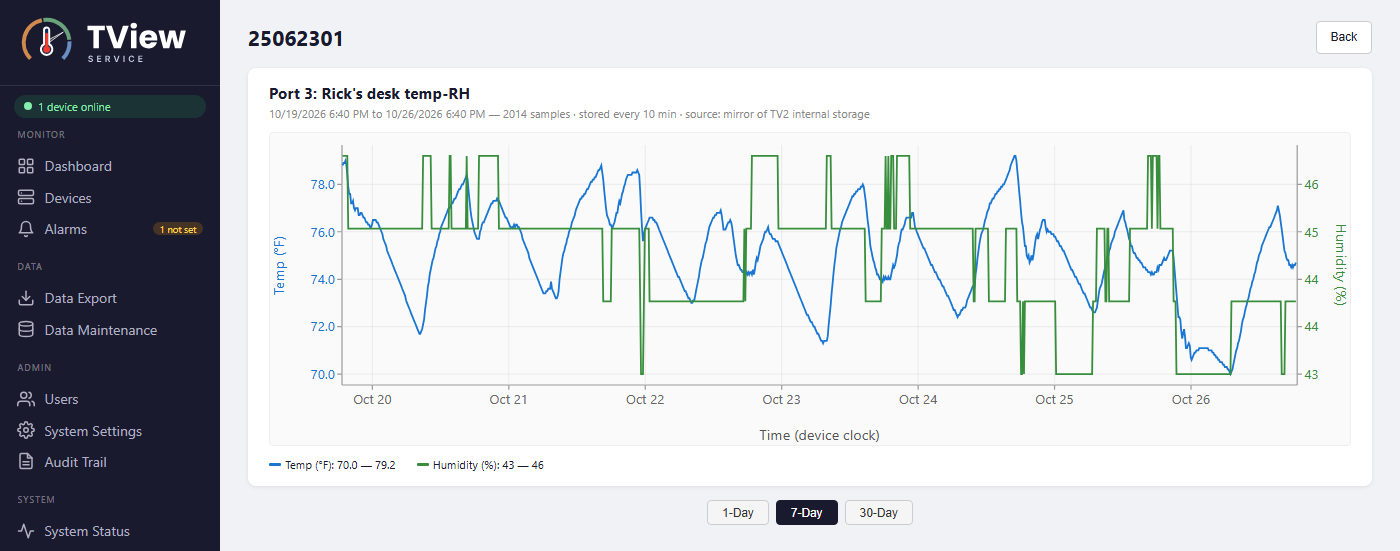
TView Service showing a 7-day temperature and humidity chart for one sensor
What it does

One server, every monitor, everyone informed

Monitors around the clock

Checks every registered TV2 and copies its logged readings to the server, even when nobody has the page open.

Live dashboard

Current temperature, humidity or pressure for each sensor, its alarm status and a recent trend, with 1, 7 and 30-day charts.

Email alarms

Emails the right people when a sensor goes into alarm, an alarm ends, a sensor disconnects or a TV2 loses AC power.

Alarm review

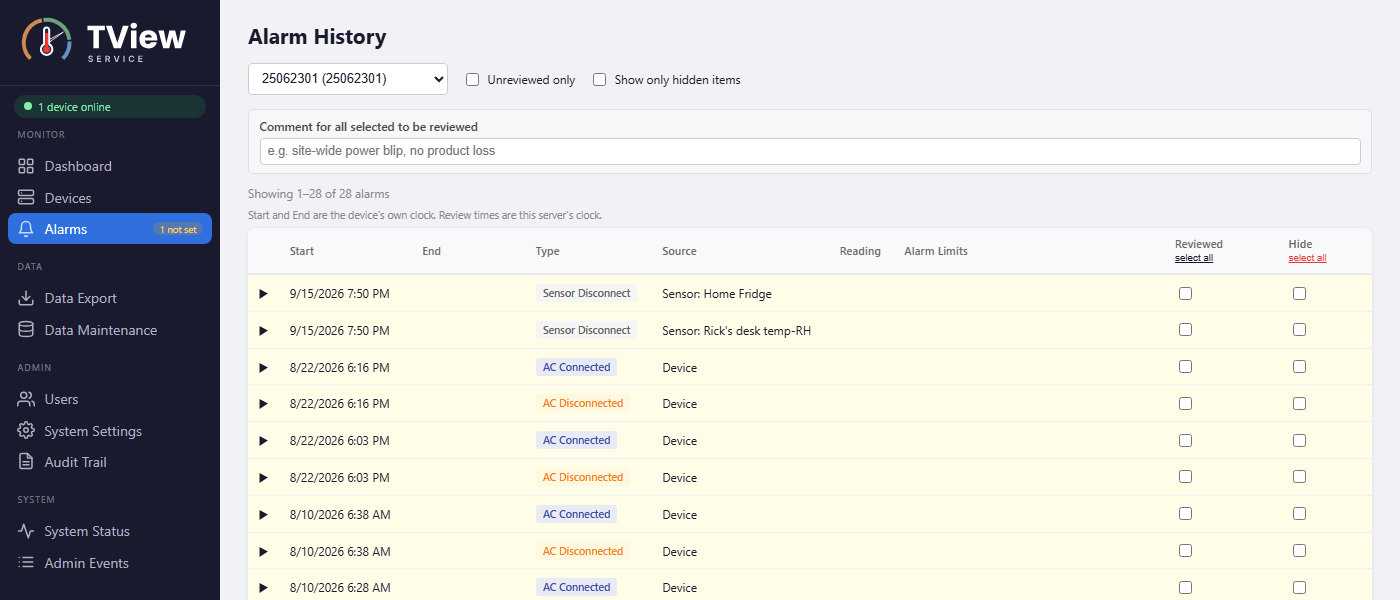
Authorized users mark alarms as reviewed and add comments, building a record of who reviewed each alarm and when.

Audit trail

Sign-ins, changes, reviews, exports and deletions are recorded and kept for seven years. Entries can't be edited or removed.

Excel export

Readings and alarm history for any date range, as a read-only Excel workbook that records who exported it and when.

How it works

Three parts, one network

1

TV2 monitors

Measure and log temperature, humidity and pressure. Each TV2 keeps its own history in memory, connected by Ethernet or Wi-Fi.

2

TView Service

A Windows service on one always-on computer. It collects each TV2's data, stores it in its own database and sends the email alerts.

3

Any web browser

Any computer, tablet or phone on your network opens the dashboard to view readings, charts and alarms.

The right access for each person

  • Admin: manages devices, users, alarm limits and system settings.
  • Reviewer: reviews and comments on alarms, and exports data.
  • View Only: watches the dashboard. Ideal for a wall-mounted screen, because it stays signed in.

Passwords must be at least 10 characters, repeated wrong passwords lock the account for a few minutes, and idle users are signed out after 30 minutes. See how the TV2 and TView protect your data on our data security and 21 CFR 11 page.

The Alarm History page, where reviewers mark alarms as reviewed and add comments
Download

TView Service 1.0.0

Released October 25, 2026

Upgrading? Just run the new installer. Your readings, alarms, users and settings are kept, and if the service can't start afterwards, choosing Cancel puts the previous version back.

What you need

  • A 64-bit Windows computer that stays on and connected to the network.
  • One or more TV2 monitors on the same network.
  • An email account TView Service can send alerts from.
  • A current browser such as Microsoft Edge, Google Chrome or Firefox.

Need help? Contact us or call 877-241-0042.

Only need TView on one PC? The desktop TView software is still available.

Protect What You Store

Get a custom quote for your facility's monitoring requirements, or see prices online. Our technicians are ready to assist with sensor configuration, installation, and ongoing support.

SUBSCRIPTION CONFIRMED

You're Subscribed!

Thank you for subscribing to Two Dimensional Instruments. You'll now receive our latest updates and news.